

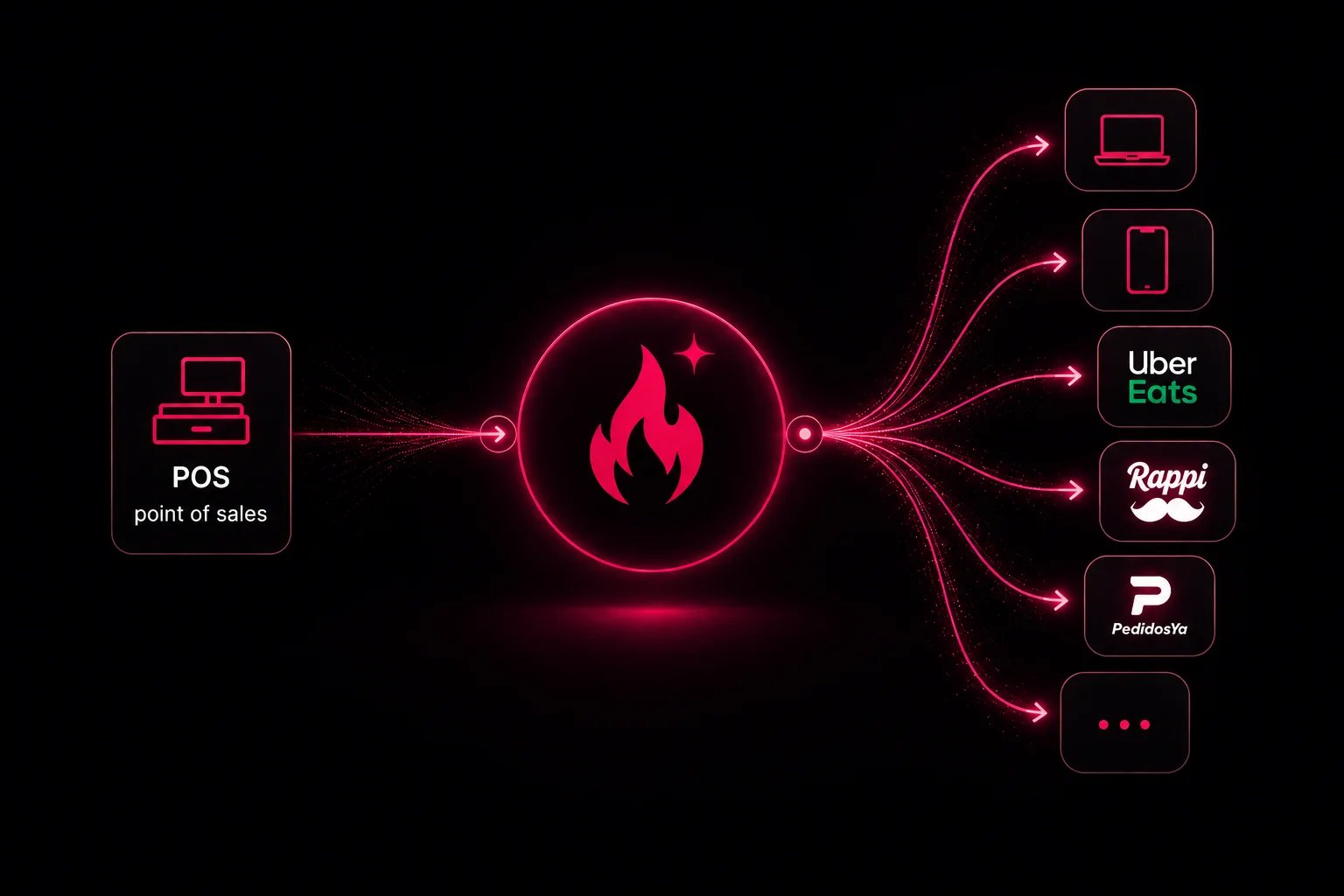
One platform for every sales channel
Fire spark is the omnichannel layer between your operation and every place customers order. Your POS and RMS stay the source of truth for menus, pricing, and fulfillment. Fire spark syncs that data outward, applies cross-channel intelligence, and routes orders back into the systems your team already runs. For marketing and commercial teams, that means fewer disconnected tools, faster launches, and a consistent brand experience whether the customer orders on your app, your website, a kiosk, or an aggregator.What you can achieve
You do not need a separate integration strategy per aggregator or per owned channel. Connect your operation once; Fire spark handles the rest.
Channels you can operate
Fire spark supports owned channels you control end to end and aggregators where customers already discover your brand.Channel catalog
Browse supported POS, RMS, and sales channels
Channels concept
How channels fit into your merchant setup
Omnichannel value
Most merchants today stitch together one integration per aggregator plus separate stacks for app, web, and in-store ordering. Each path has its own menu copy, its own sync delays, and its own reporting. When pricing or availability changes in the POS, teams chase updates channel by channel. Fire spark replaces that fragmentation with a single hub:- One operational source — Your POS or RMS remains master data; price changes and 86s flow from there.
- Composed menus — Show the right catalog per channel, store, fulfillment mode, or schedule — same platform, not the same SKU list everywhere.
- One order path — Orders from any surface flow into the same operational stack.
Intelligence layer
Omnichannel sync is the foundation. Intelligence is what lets you run different commercial plays per surface without rebuilding integrations. Fire spark applies that intelligence on top of synced operational data:- Menu composition — Different menus by channel, store, fulfillment type, or schedule while items and pricing still originate in the POS.
- Channel-aware rules — Logic per surface (aggregator vs owned app vs kiosk) from one configuration layer.
- Menu experimentation — Test titles, images, or item placement and measure impact before rolling out broadly.
- Consolidated analytics — Compare volume, mix, and performance across channels instead of exporting spreadsheets from each platform.
- Real-time visibility — Monitor orders and operational signals as they happen across the network.
Omnichannel strategy
Plan reach and consistency across surfaces
Menus A/B testing
Optimize what customers see per channel
Consolidated analytics
One view of performance across channels
Real-time monitoring
Track live operations across the network
What you can build
Beyond listing on aggregators, Fire spark lets you own the customer relationship on the channels that matter to your brand.
Each initiative pulls from the same operational data. You decide whether a surface shares the full menu or a composed variant — a promo, a new item, or a store closure still propagates from the POS without a separate project per channel.
How it fits your stack
For technical teams
Product and engineering teams implement against three APIs, each scoped to a different actor:Quickstart
First steps in the platform
Core concepts
Brands, stores, menus, orders, and fulfillment
Platform comparison
How Fire spark compares to other approaches
Connect a merchant
Set up a merchant before going live